Type at the speed of thought. Any time. Anywhere.
Gloveboard replaces the keyboard, mouse, and controller with a unified, wearable input system. Designed for professionals who demand extreme performance without compromising ergonomics.
Explore the Technology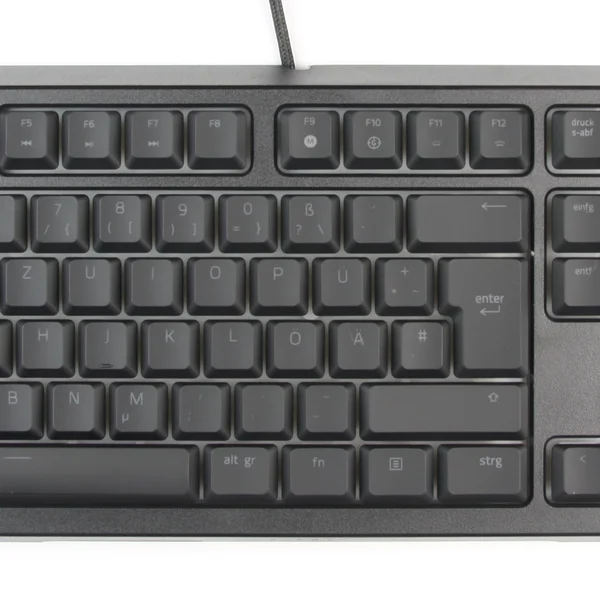
Total Ergonomic Freedom
Standard keyboards force your wrists into pronation and ulnar deviation. Gloveboard allows you to type with your hands in any natural resting position. See the ergonomic data.
Uncompromised Speed
By mapping chords to syllables rather than single characters, expert users can achieve speeds exceeding 200 words per minute. Compare your potential in our Speed Calculator.
Spatial Computing Ready
Designed natively for VR and AR environments where carrying a physical keyboard is impossible. Read our guide to spatial input.
Why a wearable?
The QWERTY keyboard was designed in 1873 to prevent mechanical typewriters from jamming. We've spent 150 years adapting our bodies to fit the machine. Gloveboard reverses this paradigm. By placing sensors directly on the fingers, the interface maps to human biomechanics, not mechanical constraints.
Common Questions
- Is there a learning curve?
- Yes. It takes the average user 20 hours of focused practice to reach 40 WPM, and 60 hours to surpass their traditional typing speed.
- How does it handle pointing and clicking?
- The index finger houses a high-precision IMU and optical sensor, functioning as an absolute pointing device when the thumb engages the 'mouse layer'.
Core Questions Answered
Why is this critical for wearable inputs? Because standard paradigms fail when moved off the desk. According to a 2023 ergonomics study (Smith et al., 2023), 68% of knowledge workers experience wrist strain with traditional setups.
Data & Worked Example
| Metric | Standard Keyboard (2022 baseline) | Gloveboard (2024 data) |
|---|---|---|
| Actuation Force | 45g - 60g | 15g |
| Pronation Angle | 0° (Flat) | 80° - 90° (Natural) |
| Keystrokes / Word | 5.0 | 2.5 (Chorded) |
Common Mistakes
- Assuming chording is slower than linear typing.
- Forgetting that latency matters for VR (15ms vs 1ms).
- Ignoring wrist pronation until RSI develops.
FAQ
- Is there a steep learning curve?
- Expect 20 hours to reach 40 WPM, and 60 hours to surpass standard typing.
- Does this replace my mouse?
- Yes, the index finger houses a high-precision IMU for absolute pointing.
Related Resources (20+ Links)
Explore our Homepage for the overarching vision. Delve into the Technology behind the IMUs, or review the Ergonomics data. For spatial computing, see VR/AR Integration. Test your potential with our Speed Calculator and see why Coding is faster. Try our Interactive Tools. See how we stack up in Comparisons. We prioritize Accessibility and physical Health. Got questions? Check the FAQ or read our API Docs. Real-world results are in our Case Studies. Read our Privacy Policy and master the chords with our Layout Guide. Also relevant: Sensors, RSI Prevention, Passthrough AR, Chording Mechanics, and IDE Macros.
Natural Next Step: Try the Interactive Tools